Shop
Game Screens393
■Shop
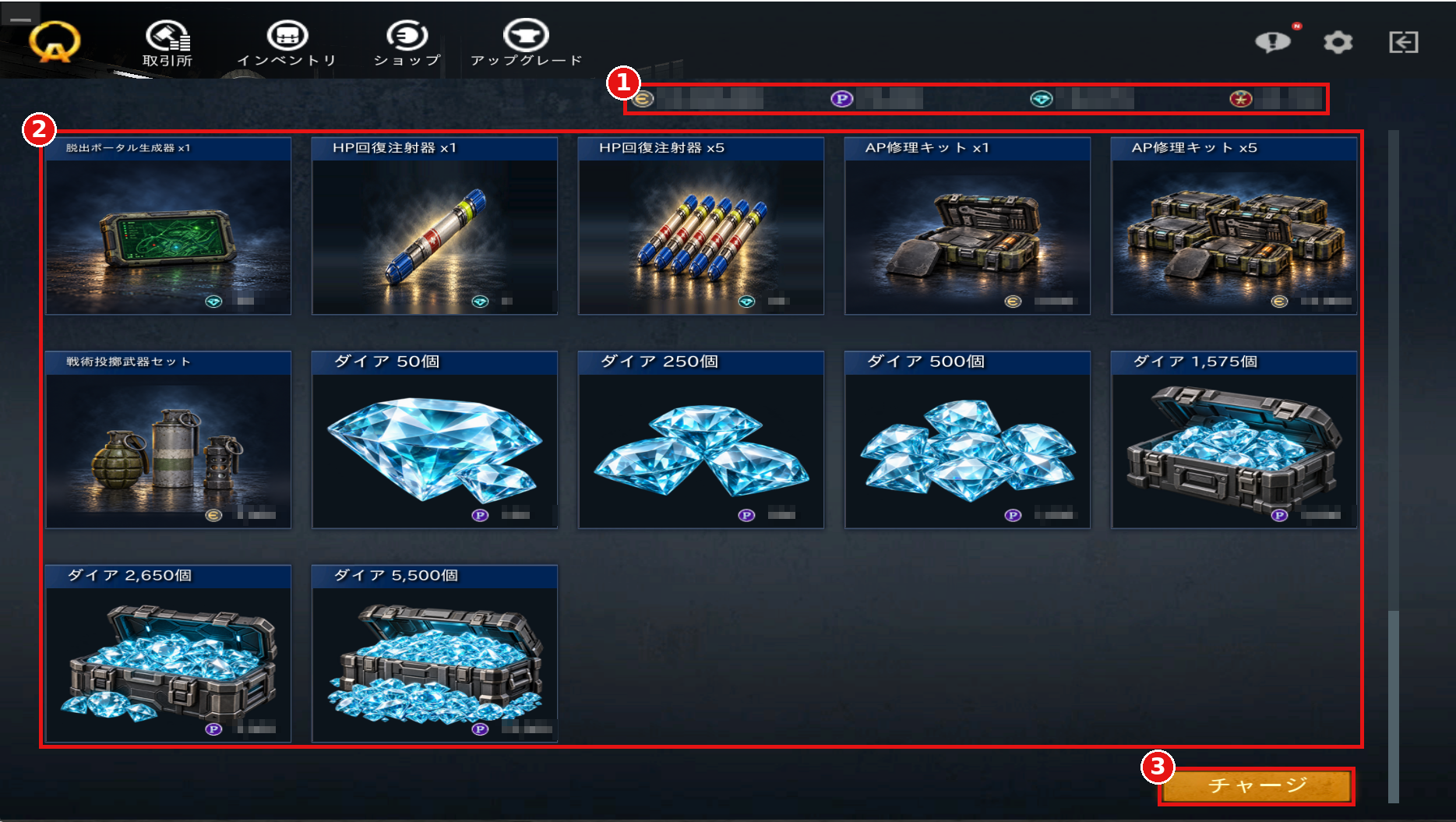
①Currency
Displays the currency you currently have.
The currency used differs depending on the item in the Shop.
Hover your mouse over each currency to see its description.
②Item List
Displays the items currently on sale.
Double-click an item to go to its details page.
You can also check item details by hovering your mouse over the item image.
③Charge (チャージ)
Charge the currency needed to purchase items.
Clicking the button takes you to a purchase page for the platform you are logged in with.
①Currency
Displays the currency you currently have.
The currency used differs depending on the item in the Shop.
Hover your mouse over each currency to see its description.
②Item List
Displays the items currently on sale.
Double-click an item to go to its details page.
You can also check item details by hovering your mouse over the item image.
③Charge (チャージ)
Charge the currency needed to purchase items.
Clicking the button takes you to a purchase page for the platform you are logged in with.