Titles / Name Cards
Content317
■How to Set Titles and Name Cards
Titles and name cards can be changed from "ID Tag Settings" (認識票設定).
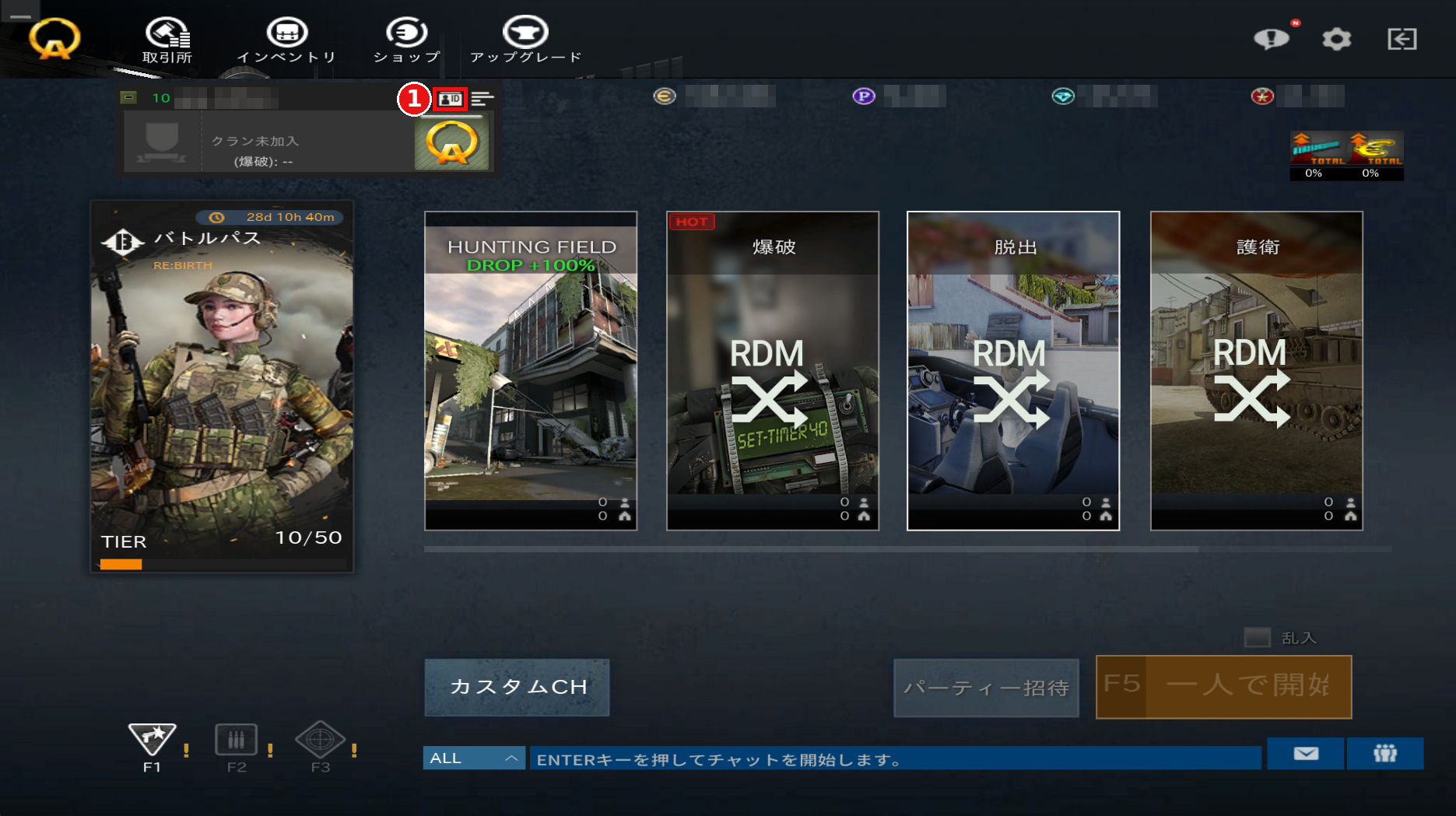
①Press the "ID" button in the upper left of the lobby screen to open the ID Tag Settings screen.
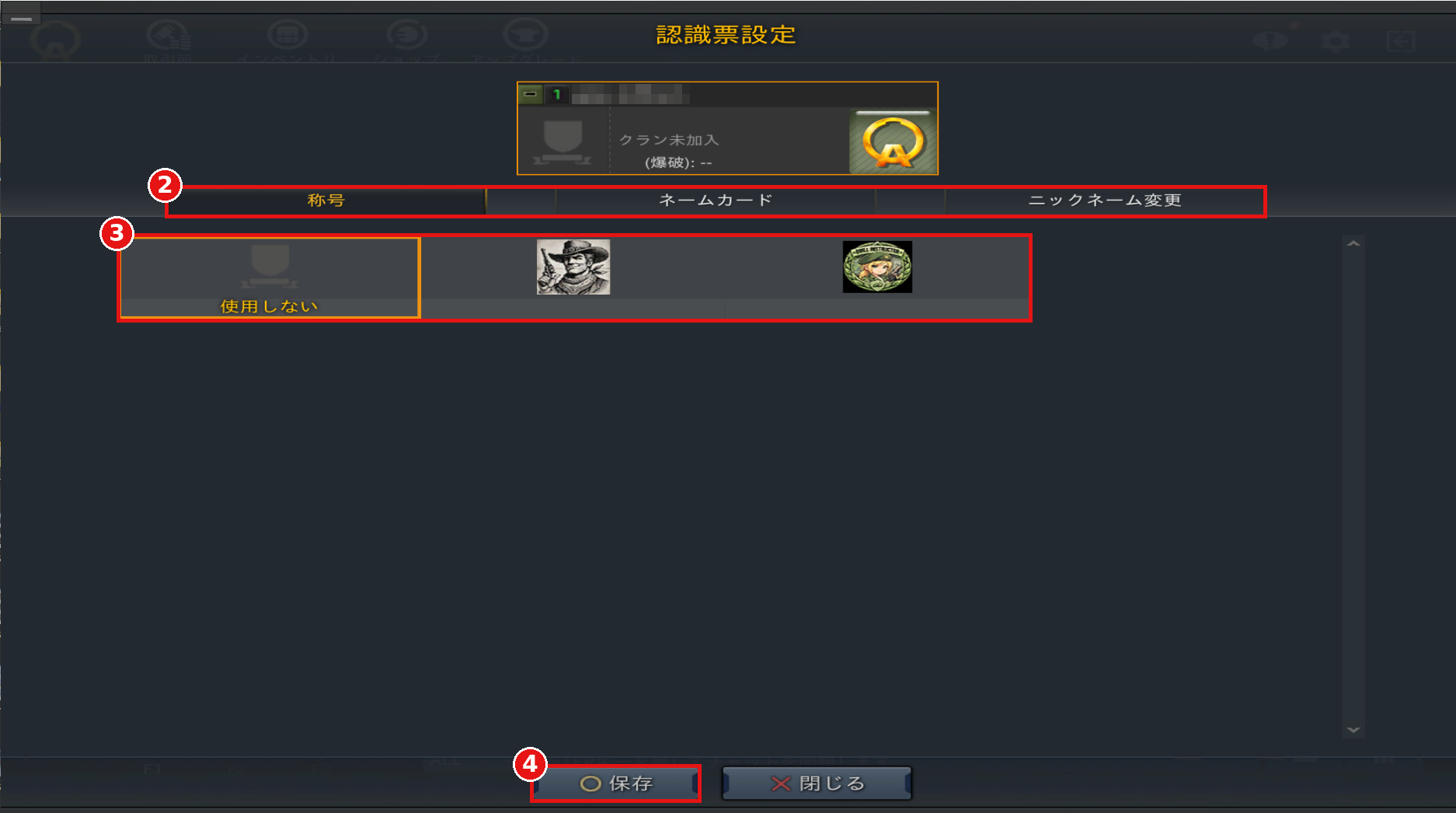
②Select the "Title" (称号) or "Name Card" (ネームカード) tab.
③Select the title or name card you want to use.
④Press "Save" (保存) to apply your settings.
Titles and name cards can be changed from "ID Tag Settings" (認識票設定).
①Press the "ID" button in the upper left of the lobby screen to open the ID Tag Settings screen.
②Select the "Title" (称号) or "Name Card" (ネームカード) tab.
③Select the title or name card you want to use.
④Press "Save" (保存) to apply your settings.