Character Creation
Character Creation
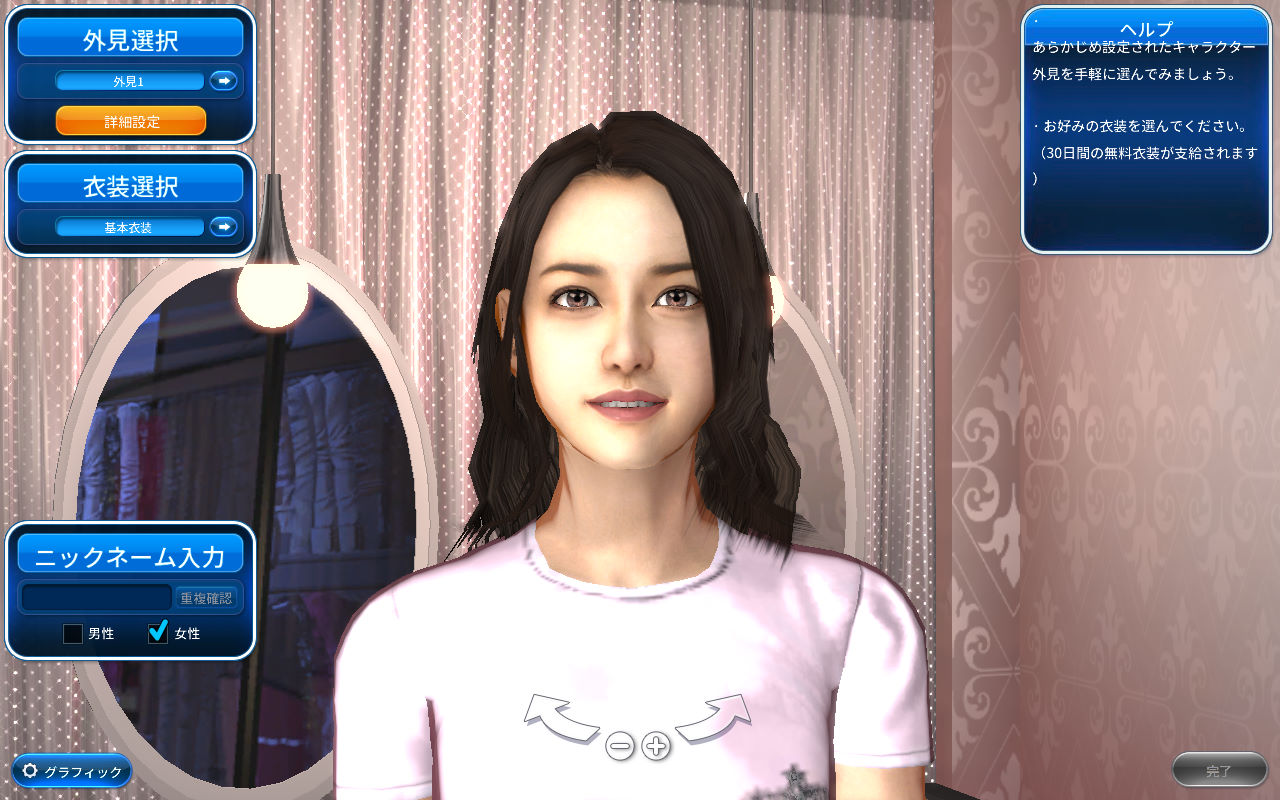
Once the game launches, the first thing you’ll do is create your character.
You can customize detailed aspects of your appearance, such as facial features, hair color, and more.
Settings |
Select from basic presets to preview your preferred look and the basic outfit set (limited to 30 days). |
| Enter the advanced customization screen to fine-tune facial features and other details. | |
(Character Name) |
Once you are happy with the appearance, enter your desired character name and click the "Check Availability" button. If the name is available, proceed to complete character creation. |
| Choose your character’s gender (Male / Female). | |
| If you encounter any issues, you can adjust various game settings here. |
Advanced Appearance Settings
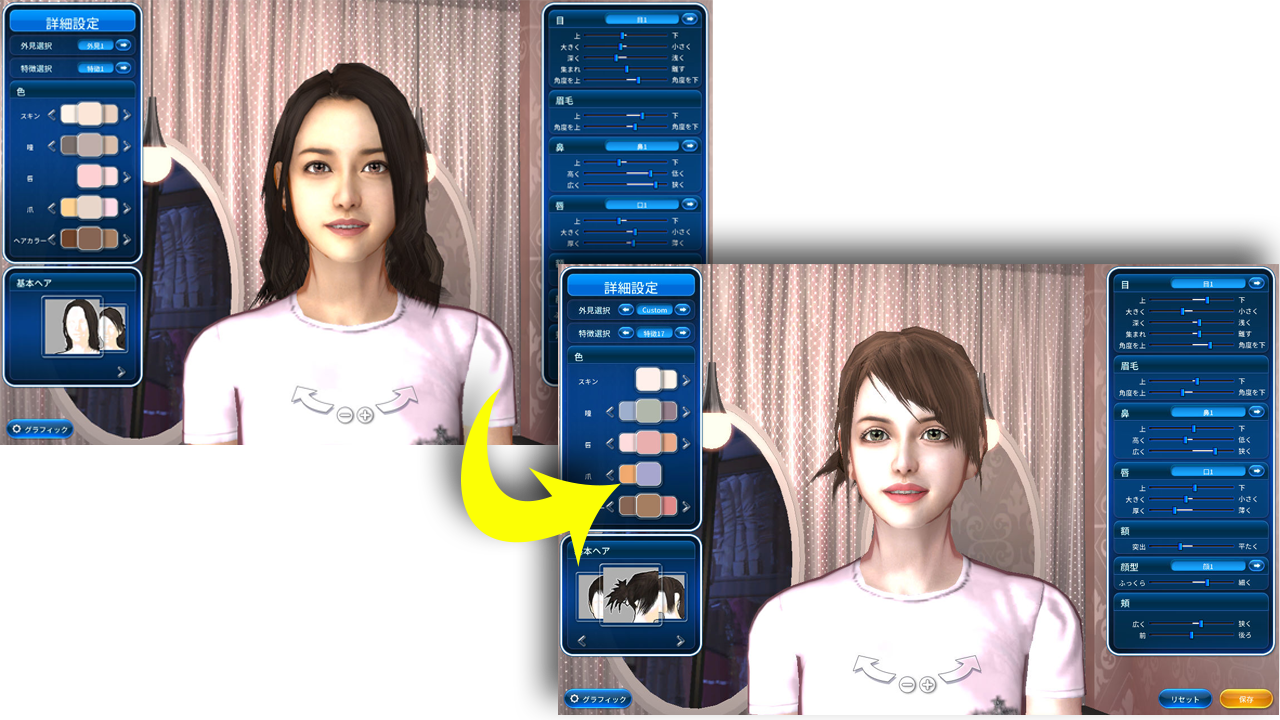
In the Detailed Settings menu, you can customize the following:
Face type
Skin tone
Hairstyle and hair color
Unique features
You can also use sliders to precisely adjust the shape, size, and position of individual facial parts.
Once you have finished all adjustments, click the "Save" button in the bottom right corner to complete the process.
※ Once created, characters cannot be deleted. The support team is also unable to delete any characters.
※ Only one character can be created per account.
※ The character’s gender cannot be changed after creation.