Couple System
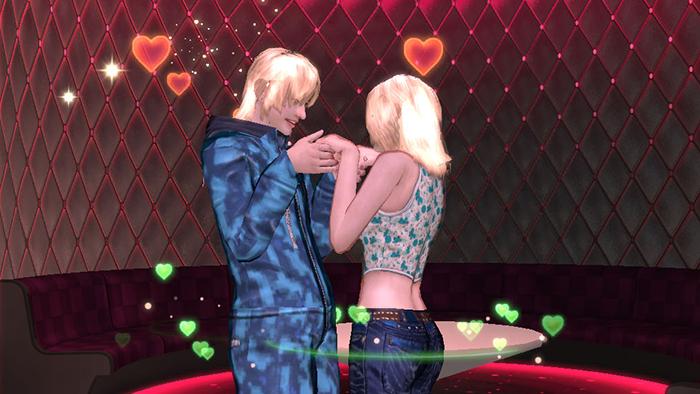
The Couple System allows two dancers to form a relationship and enjoy exclusive features together.
Once you become a couple, you can access the Couple Shop, purchase exclusive items, and unlock special Couple Actions.
■ How to Become a Couple
1. Before sending a Couple Request, you will need a Proposal Ring.
This item can be purchased from the Shopping Mall.
※ Path: Shopping > Others > Function > Propose
Once you have the ring,
right-click the dancer you wish to propose to and select "Couple Request" from the menu.
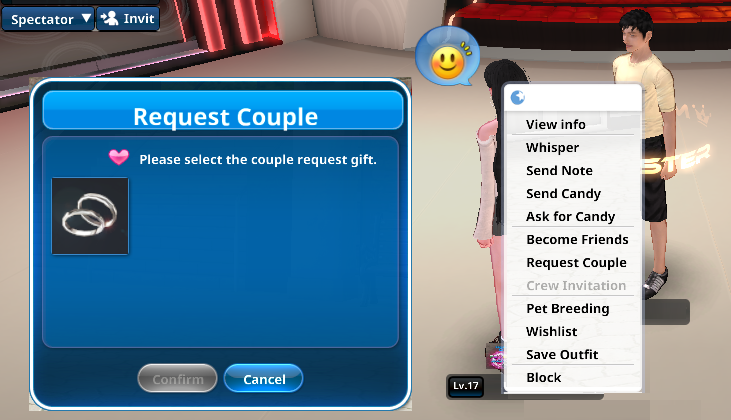
2. The recipient will see a confirmation message and can choose to Accept or Decline.
If the request is not accepted within 10 seconds, it will be automatically canceled and the ring will be consumed.
Please keep this in mind before sending a request.
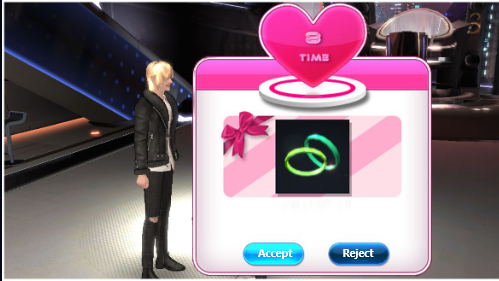
3. If the request is accepted within 10 seconds, you will officially become a couple.
■ Couple EXP & Leveling
Couples can level up by earning Couple EXP.
You can earn Couple EXP in the following ways:
1. Play Rhythm Games with your partner.
Couple EXP is calculated based on the EXP earned by each dancer.
2. Send gifts to your partner.
EXP is awarded based on the price of the gift.
3. Proposing with an Upgrade Ring also grants EXP.
※ As your Couple Level increases, exclusive features such as the Couple Shop and Couple Home management will be unlocked.
The maximum Couple Level is Lv. 30.
■ Heart Meter System
They say distance can make hearts grow apart—this system puts that to the test!
The Heart Meter changes based on how long you and your partner stay online together.
The meter consists of 7 hearts.
When both dancers are online at the same time, one heart lights up from left to right every 30 minutes.
If you are not online together for more than 24 hours, the hearts will gradually turn off from right to left.
1–5 Hearts: Grants Stage 1 buff effects.
6–7 Hearts: Grants Stage 2 buff effects.
※Buff effects vary depending on the type of Proposal Ring equipped.
■ Couple Request Rings & Proposal Rings
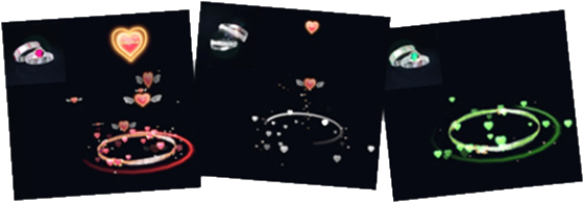
Different couple effects are unlocked depending on the type of ring and your Heart Meter level.
You can also use a ring’s unique visual effects after proposing with it.
Couple Request Rings are used when forming a couple for the first time.
Available types: Silver Couple Ring & Plastic Couple Ring
Proposal Rings are used after forming a couple and increasing your Couple Level.
New rings become available when your Couple Level reaches Lv. 4, Lv. 8, and Lv. 10.
The higher the ring’s rank, the greater the benefits gained from Heart Meter buffs.
After a successful proposal, you will receive Couple EXP and Candy.
■ Couple Shop & Actions
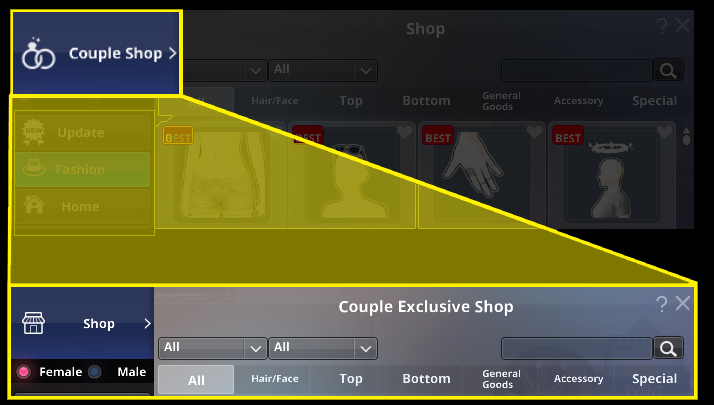
When your Couple Level reaches Lv. 2, the Couple Shop will be unlocked.
Access: Shopping Mall > Couple Shop
In the Couple Shop, you can obtain various items such as Couple Homes, furniture, outfits, and Couple Actions.
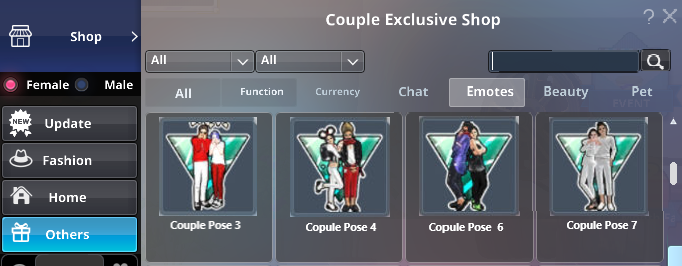
Once you become a couple, you can perform a variety of poses and interactions with your partner.
The following Couple Actions are automatically unlocked as your Couple Level increases:
・Lv. 1: Intimate Hug, Shy Kiss
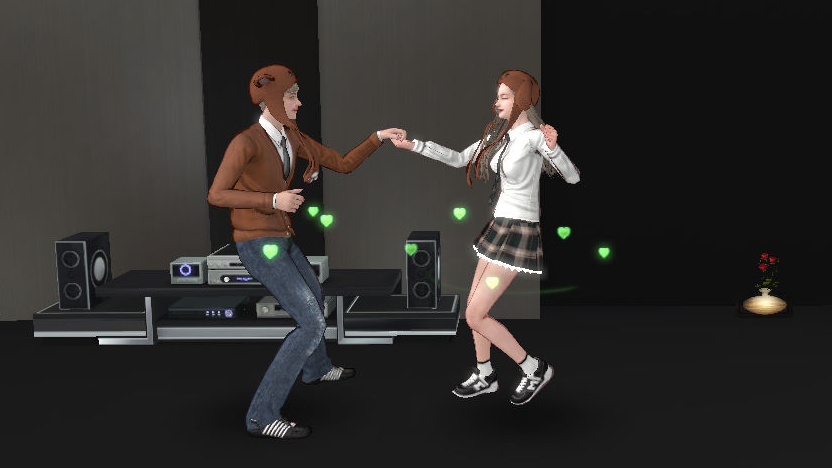
・Lv. 2: Warm Hands, Couple Line Dance, Gentle Forehead Kiss♡
■ Ending a Couple Relationship
To end a couple relationship, click the “End Couple” button at the bottom-right of the Couple Info window.
Please note that this will permanently remove all accumulated Couple EXP, Levels, and unlocked Couple Actions.
Think carefully before proceeding, as this action cannot be undone.
■ Couple Furniture
About Couple FurnitureThe owner of a home with Couple Furniture becomes the furniture's primary manager.
They can request their partner to help manage it, allowing the furniture to grow faster together.
While it’s possible to manage furniture alone by hiring a Helper Manager, this takes longer and requires a fee (Candy).
How to Upgrade Couple Furniture
Newly purchased Couple Furniture starts at Level 1 and can be upgraded to Level 5.
Each upgrade stage requires a specific Couple Level.
Click on the furniture to accept and complete quests.
The furniture owner will receive "Owner Blueprints", while the manager receives "Manager Blueprints".
"Owner Blueprints" can only be used on furniture you own, and "Manager Blueprints" can only be used on furniture you manage.
Each household can use up to 6 Owner Blueprints and 6 Manager Blueprints per day.
To upgrade furniture, click on the Couple Furniture and use the appropriate Blueprints.
If upgrading alone, a Helper Manager must be hired for each stage.
Furniture Quests
Furniture quests are updated daily at 4:00 AM (KST).
Each dancer can accept only one furniture quest per day, and it cannot be completed at the same time as a Daily Notice.
If you are currently working on a furniture quest and accept a Daily Notice from the lounge NPC [Officer] Jenny,
all active furniture quests and related tasks will be removed, allowing you to proceed with that day's Daily Notice.
Once a furniture quest has been switched to a Daily Notice, it cannot be resumed on the same day.
If you complete a Daily Notice first and then accept a furniture quest,
you can use a “New Schedule” item after finishing the furniture quest to start a new Daily Notice.
Pausing Furniture Growth
If you own a Couple Furniture piece, right-click it and select “Pause Growth”.
The furniture will stop growing and become a regular furniture item.
Once paused, the Couple Furniture cannot be reverted back. Only the regular furniture remains.
☆Tips☆
When a Couple Furniture reaches Level 5, its owner earns a special Title.
Couple Furniture cannot be placed in the inventory while growing.
You can manage multiple Couple Furniture pieces at the same time.
To appoint a new Manager, you must first use or delete all blueprints you currently hold for that furniture.
■ Marriage
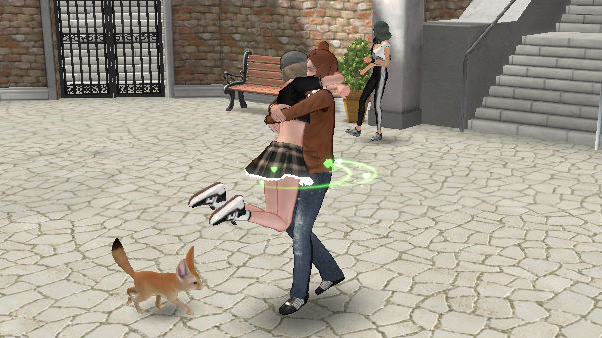
When you’ve found your true partner and are ready to tie the knot, it’s time to hold your wedding!
Before the ceremony, you’ll need a proposal accessory to reserve a Wedding Hall.
Propose to your partner using the designated ring, then visit [Wedding Planner] Mary to start your wedding preparations.
Reserving a Wedding Hall
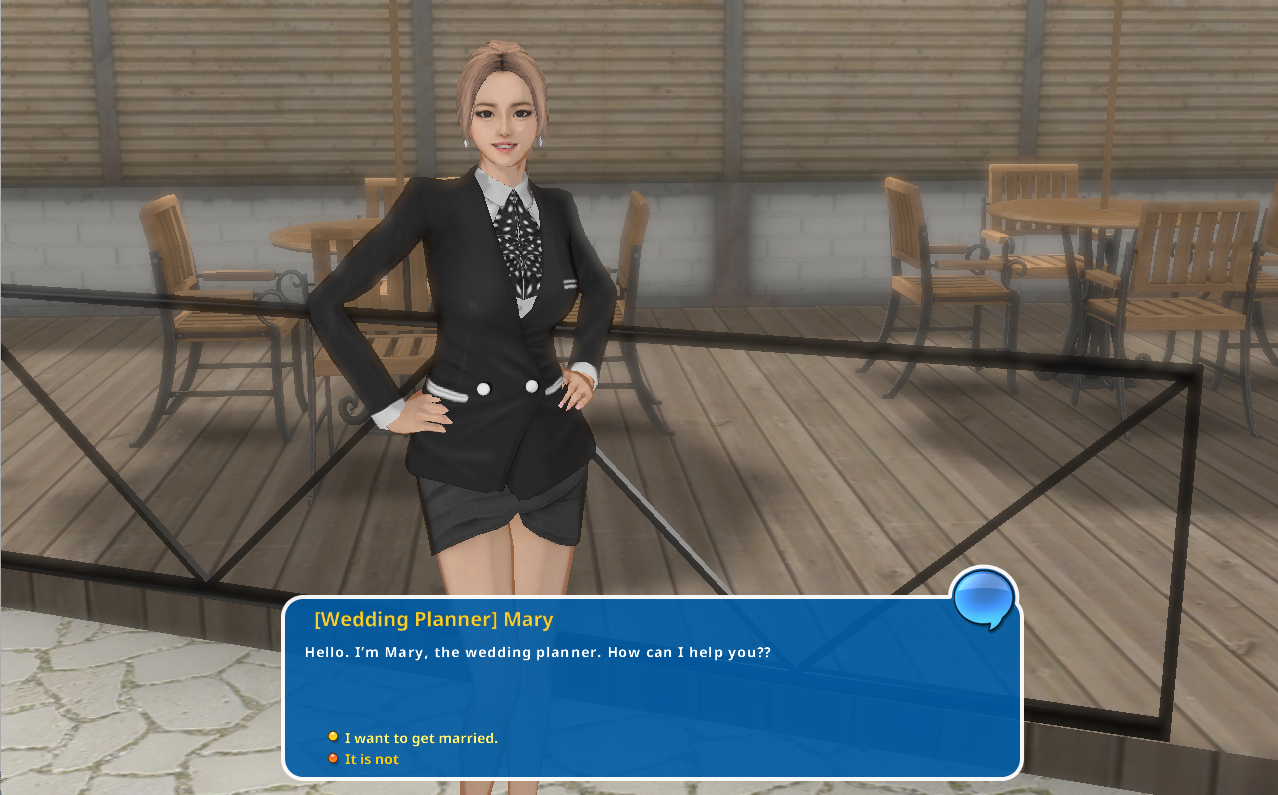
Go together with your partner to [Wedding Planner] Mary at the lounge to reserve the Wedding Hall.
※ If you don’t use the designated ring or don’t visit together, your wedding preparations will not be completed.
Decide on your wedding date and choose the tuxedo and wedding dress for the ceremony.
Send invitations to your friends.
Purchase your Newlywed Home to complete the reservation.
The Wedding Hall will not open until all reservation steps are completed.
Make sure you finish every step before the big day!
Wedding Hall Reservation
① Reserve the Wedding Hall
Schedule the date and time for your wedding ceremony.
② Create Invitations
Choose your preferred design and enter the invitation message.
③ Invite Guests
Send the invitations to the friends you want to invite to your wedding.
④ Select Outfits
Pick the dress/tuxedo, hairstyle, and bouquet for the ceremony.
⑤ Purchase Your New Home
Buy the “Happy Love House” to live together with your partner.
※This will not be delivered as an item in your inventory.
⑥ Settle Wedding Expenses
Each partner can pay individually, or select “Joint Payment” to split the costs evenly.
The name of the dancer who purchases the home will appear before the home’s title.
(Example: If the bride purchases it — Bride & Groom’s Home)
Wedding Ceremony
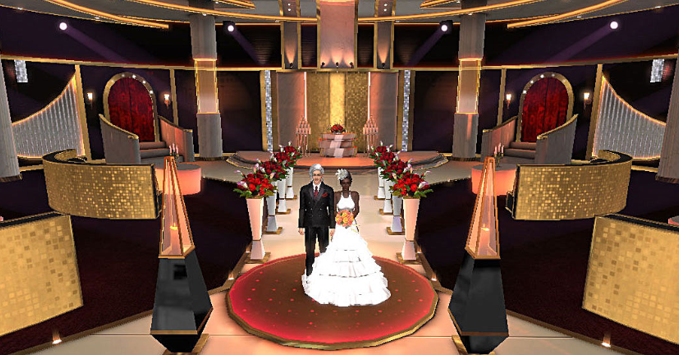
The day you promise to spend your life with the one you love is finally here!
You can enter the Wedding Hall via the Lounge starting 1 hour before the ceremony.
All invited friends will gather for the celebration.
Once inside, friends can present M Points or Candy as wedding gifts to the bride and groom.
When the ceremony begins, it will proceed according to the program.
Enjoy this beautiful and romantic wedding day as if you were watching a cinematic cutscene.
Guests can take their seats and offer their warmest blessings to the newlyweds.
■ Newlywed Home
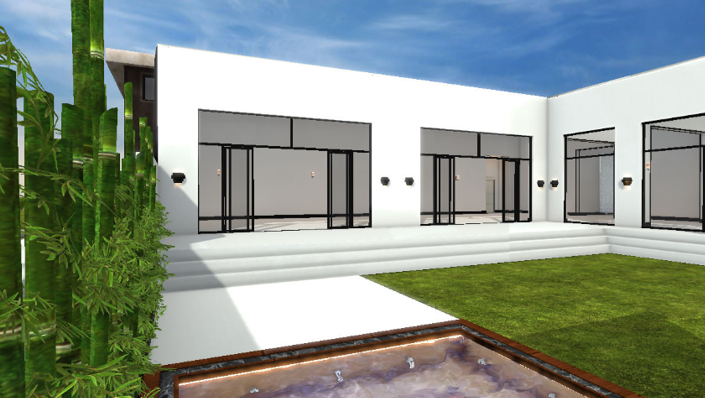
After marriage, the couple will share a Newlywed Home.
The home fee paid during the Wedding Hall reservation provides access to a basic Newlywed Home.
Couples can later visit the Couple Shop to exchange it for a different home design.
※The basic Newlywed Home is not delivered as an in-game item.