Controls
Basic Controls421
■Controls
■Mouse Controls
■Keyboard Controls
※Key bindings can be changed under "Controls" in the Settings menu.
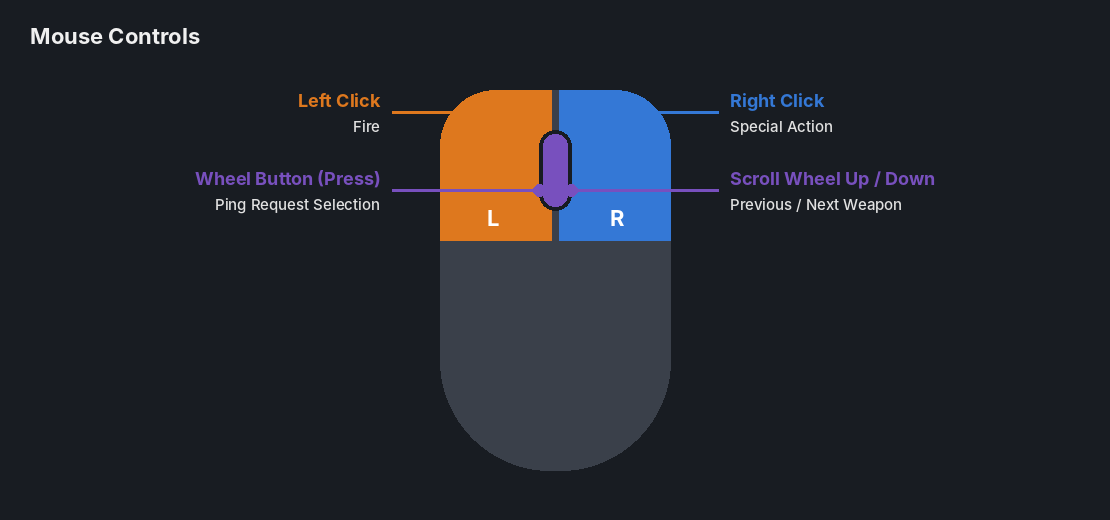
■Mouse Controls
| Left Click | Fire |
| Right Click | Special Action |
| Scroll Wheel Up | Switch to Previous Weapon |
| Scroll Wheel Down | Switch to Next Weapon |
| Wheel Button | Ping Request Selection |
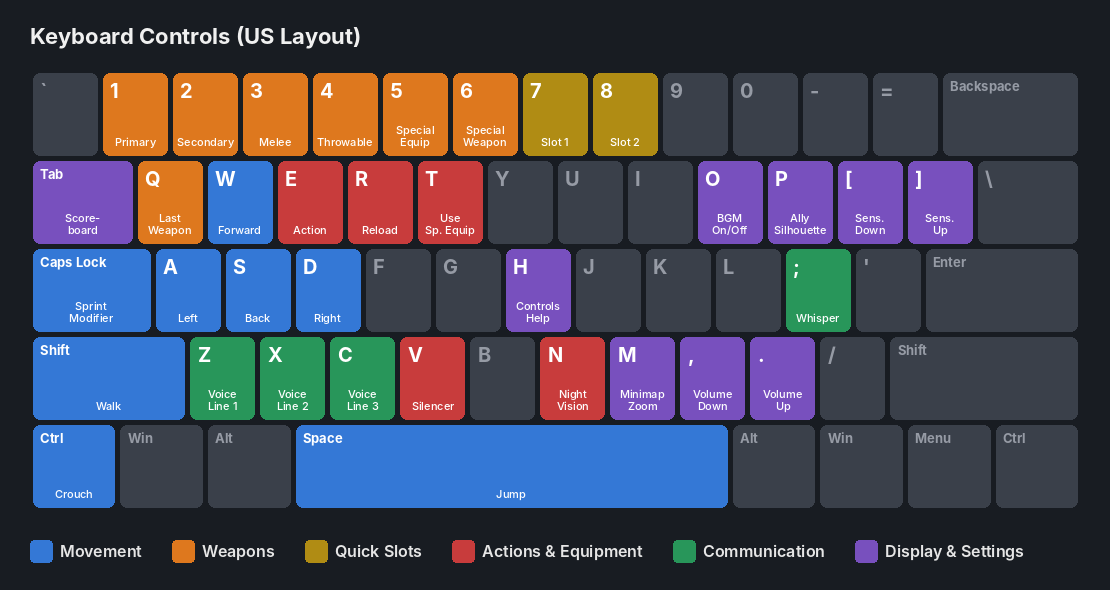
■Keyboard Controls
| Movement | |
|---|---|
| W | Move Forward |
| S | Move Backward |
| A | Move Left |
| D | Move Right |
| Space | Jump |
| Left Ctrl | Crouch |
| Left Shift | Walk |
| Caps Lock | Sprint (Modifier Key) |
| Weapons | |
| 1 | Select Primary Weapon |
| 2 | Select Secondary Weapon |
| 3 | Select Melee Weapon |
| 4 | Select Throwable |
| 5 | Select Special Equipment |
| 6 | Select Special Weapon |
| Q | Switch to Last Used Weapon |
| Quick Slots | |
| 7 | Quick Slot 1 |
| 8 | Quick Slot 2 |
| Actions & Equipment | |
| R | Reload |
| E | Action |
| V | Silencer |
| N | Night Vision |
| T | Use Special Equipment (Scenario Mode) |
| Communication | |
| Z | Tactical Voice Line 1 |
| X | Tactical Voice Line 2 |
| C | Tactical Voice Line 3 |
| ; | Whisper |
| Display & Settings | |
| Tab | Scoreboard |
| M | Adjust Minimap Zoom |
| P | Toggle Ally Silhouettes |
| H | Controls Help |
| [ | Decrease Mouse Sensitivity |
| ] | Increase Mouse Sensitivity |
| O | Toggle In-Game BGM |
| , | Decrease Game Volume |
| . | Increase Game Volume |
※Key bindings can be changed under "Controls" in the Settings menu.