Getting Started – Character Creation
Game Screens453
■Character Creation
When you launch the game for the first time, the Character Creation screen will appear.
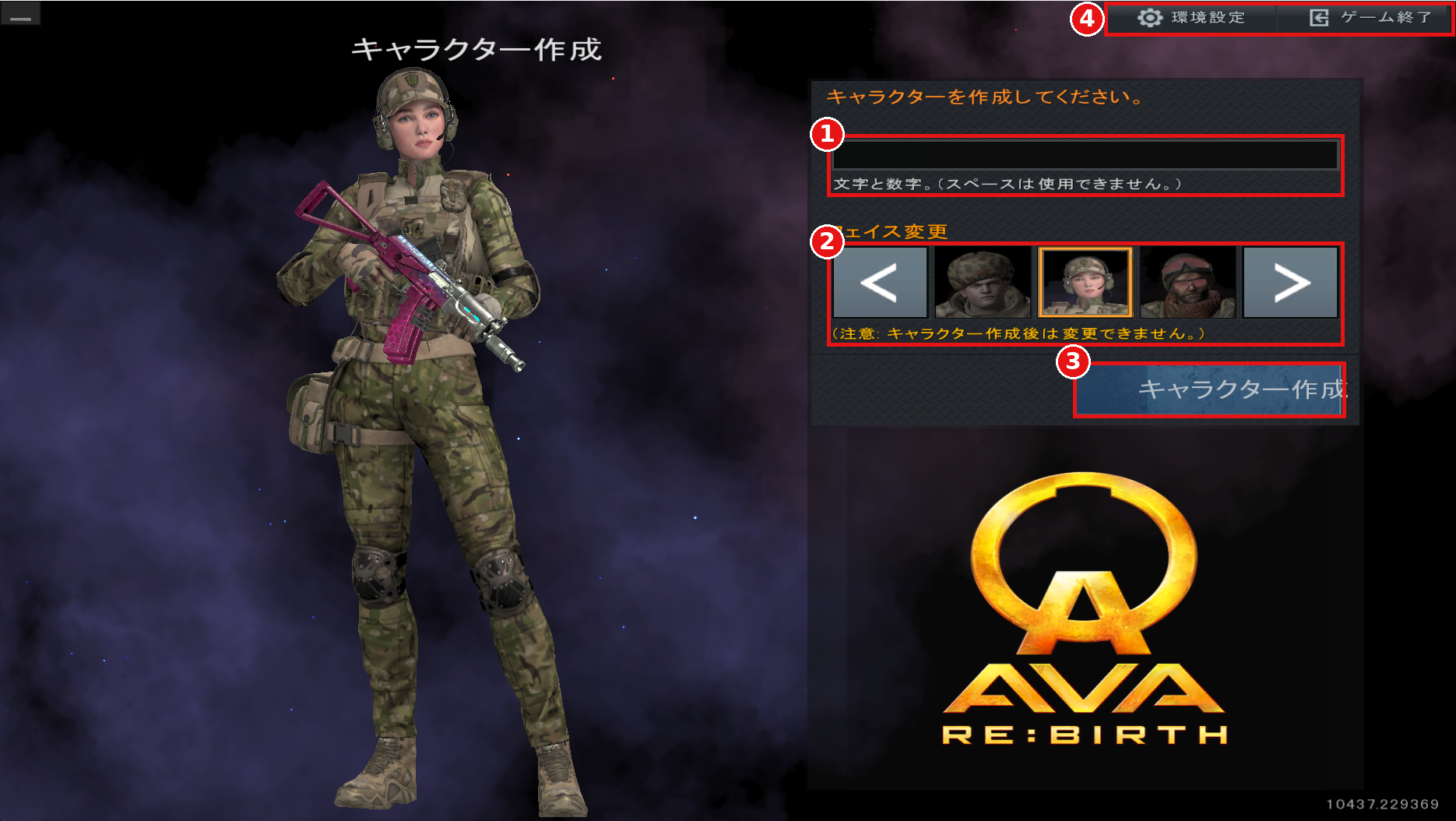
①Character Name
Enter your character name. Letters and numbers can be used. Spaces cannot be used.
②Change Face (フェイス変更)
Use the left and right arrows to select a face.
※The face cannot be changed after the character is created.
③Create Character (キャラクター作成)
Confirm your entries and create your character.
④Settings / Exit Game
Open the Settings menu or exit the game.

If your character name contains a restricted word, the screen above will appear.
Please choose a name that does not include the displayed word.
■Tutorial
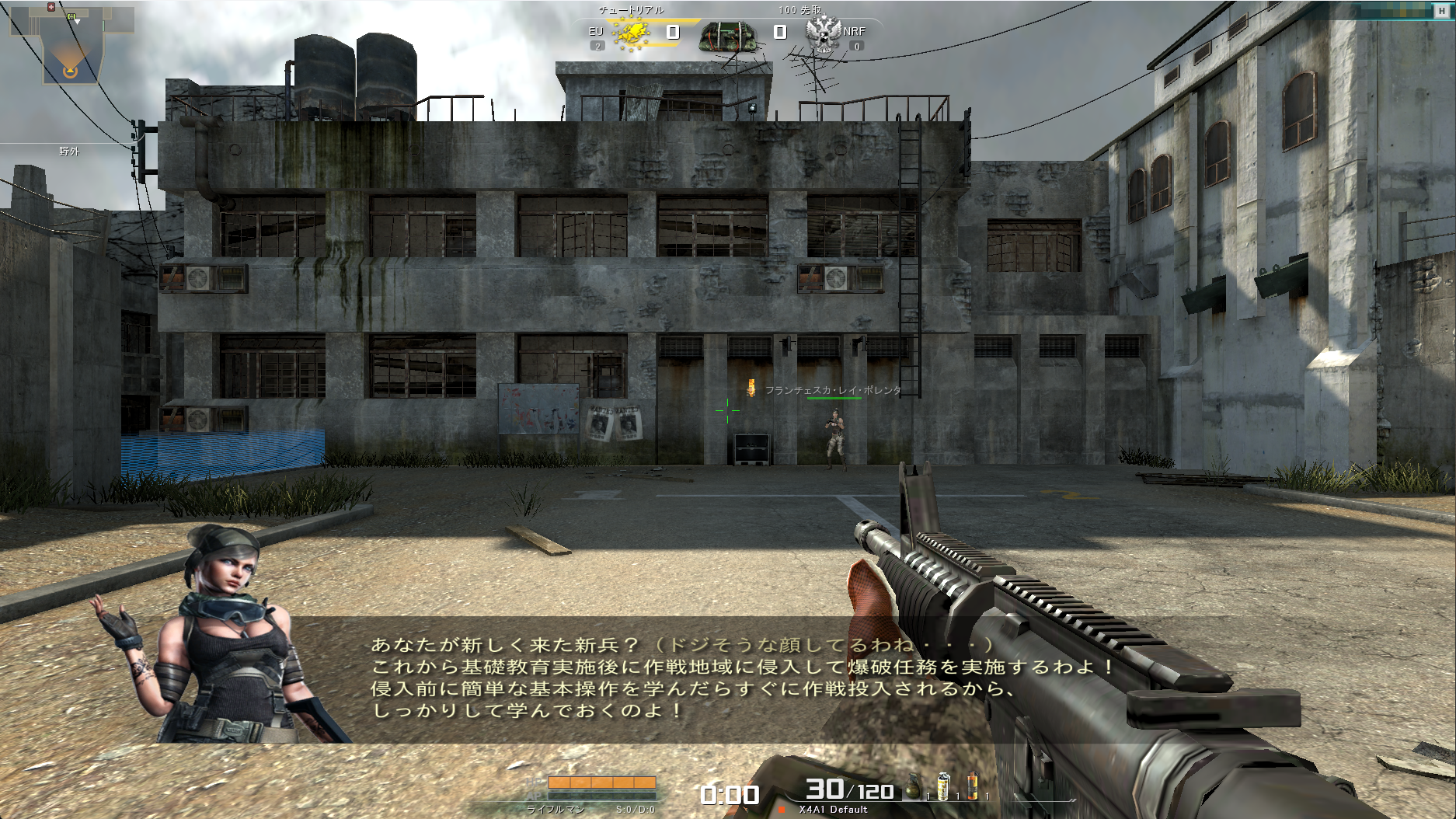
After creating your character, you will proceed to the tutorial.
Once you complete the tutorial, you will automatically be taken to the Main Lobby.
※To exit the tutorial partway through, press the ESC key and select "Exit Game" (ゲーム終了) on the far right of the menu.
Even if you exit partway through, you will start from the Main Lobby the next time you launch the game.
When you launch the game for the first time, the Character Creation screen will appear.
①Character Name
Enter your character name. Letters and numbers can be used. Spaces cannot be used.
②Change Face (フェイス変更)
Use the left and right arrows to select a face.
※The face cannot be changed after the character is created.
③Create Character (キャラクター作成)
Confirm your entries and create your character.
④Settings / Exit Game
Open the Settings menu or exit the game.
If your character name contains a restricted word, the screen above will appear.
Please choose a name that does not include the displayed word.
■Tutorial
After creating your character, you will proceed to the tutorial.
Once you complete the tutorial, you will automatically be taken to the Main Lobby.
※To exit the tutorial partway through, press the ESC key and select "Exit Game" (ゲーム終了) on the far right of the menu.
Even if you exit partway through, you will start from the Main Lobby the next time you launch the game.