Home Garden - Basics
■ About the Home Garden
The Home Garden is a fun system that lets you grow crops right inside your own home.
Harvest your plants to earn rewards, which you can exchange for exclusive fashion items, home decorations, and more!
There are tons of special rewards that can only be obtained through the Home Garden!
As you raise your Home Garden Level,
you’ll be able to plant more varieties of crops and recruit more helpers to manage your garden efficiently.
Home Garden Items
Regular seeds can be exchanged using M Points, while Premium Seeds require Cash. |
|
Available in the Home category of the Mall. |
|
They can also be obtained in the Home category of the Mall. |
■ Home Garden Basics
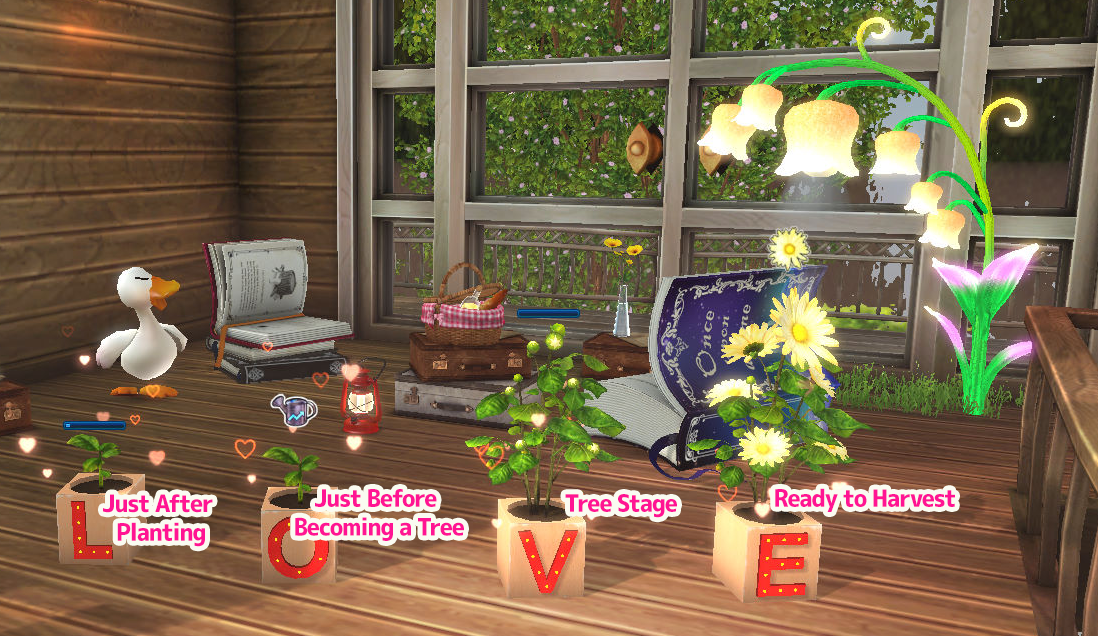
Click on a placed Flower Pot in your home, then select a seed from the pop-up menu to plant it.
Planted seeds will grow from sprouts into fully grown trees. Once a tree reaches maturity, you can harvest it.
The tree stays in its grown state, allowing you to harvest repeatedly until you decide to sell the crop.
There is a limit to the number of crops you can grow, the number of pots you can place,
and the number of helpers you can have in a single home.
These limits will gradually increase as your Home Garden Level rises. (Note: These limits may be adjusted in future updates.)
You can also manage your entire Home Garden more conveniently using the Home Garden Remote.
■ Home Garden Remote
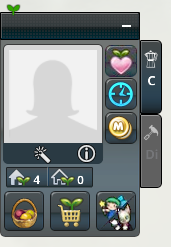
The "Home Garden Remote" appears in the left corner of the screen while you are in your Home.
It allows you to manage all aspects of your Home Garden.
 |
you can bless your crops to receive a special Blessed Basket reward. These blessed rewards are especially valuable! |
|
 |
When used on another dancer’s crop, your name will be recorded in the crop information as a thankful helper. |
|
 |
If you have the [Farmer Chubby Cat], you can also use the Sale Lock feature to prevent accidental sales. |
|
 |
With the [Meow Meow Diver] placed, you can perform synthesis more efficiently. |
|
 |
Allows you to break down seeds and crops in your Home. You may obtain seeds from previous seasons or collections that you haven’t collected yet. Note: Disintegrated seeds and crops cannot be recovered. |
|
 |
Fairy Magic |
Cast magic on all your crops at once without needing to summon each fairy individually. |
 |
Information |
|
 |
Attention |
|
 |
Using magic on crops can help you obtain even better rewards! |
|
 |
||
 |
You can check their unique abilities and summon them as needed. |
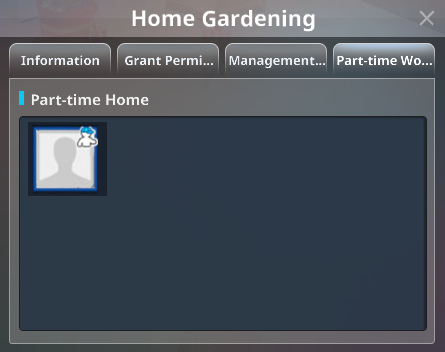
■ Home Garden (Part-Time Work)
Other dancers can apply to help with your crops.
By assisting your plants, they help them grow faster and earn extra rewards.
A Part-Time Work session can only start after the home owner (or someone with management rights) approves the application.
When a Part-Time Worker harvests your crop and receives a reward, you (the owner) gain "Owner Points".
When you apply to help in another dancer’s garden, harvest their crop, and receive a reward, you gain "Part-Time Worker Points".
Both Owner Points and Part-Time Worker Points act as experience points.
They are displayed on the Home Garden Rankings, where dancers compete for higher positions.
These points also increase your fairies’ experience values.
Each home can only accept one Part-Time Working application per crop at a time.
As your Home Garden Level increases, the maximum number of simultaneous Part-Time Workers you can accept will also increase.
■ Information
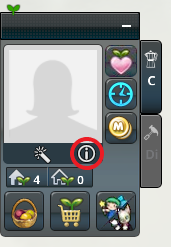
After entering your Home, you can access Home Garden Information by
tapping the “Home Garden Infomation” button on the Home Garden Remote or in the Character Infomaton menu.
Information
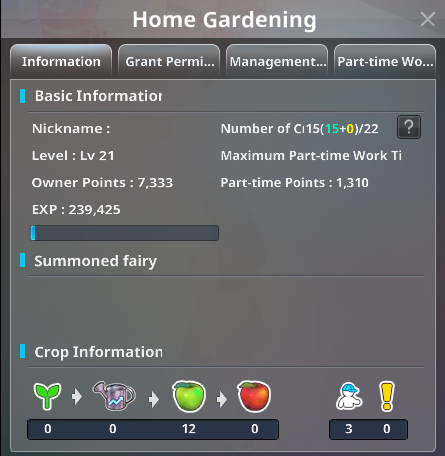
You can check the following details:
Your current Home Garden Level and Garden EXP.
Maximum number of crops you can grow.
Maximum number of Part-Time Workers you can accept.
Current status of your crops and ongoing Part-Time Working sessions.
Information about your summoned fairies.
Grant Permission
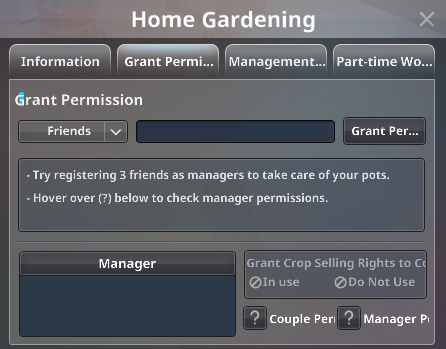
You can assign Managers to help take care of your crops on your behalf.
※If you are in a Couple, your partner will automatically receive full permissions.
① Couple Permissions:
Placing pots, Planting seeds, Growing / nurturing crops, Upgrading crops, Harvesting crops, Selling crops,
Accepting or declining Part-Time Working requests.
(You can toggle the “Sell crops” permission on or off.)
② Manager Permissions:
Growing / nurturing crops, Harvesting crops, Accepting or declining Part-Time Working requests.
(You can toggle the “Sell crops” permission on or off.))
Part-Time Working Status
You can view information about the homes and specific crops where you are currently Part-Time Working.