Community
■ Messenger
If you find dancers you get along with, why not add them as friends?
Once you become friends or form a couple,
you can check whether they’re online through the Messenger, and chatting or visiting their Home becomes much easier.
▼Click the top-right corner of the screen to open the Messenger.

My Friends / Add Friend / Block List
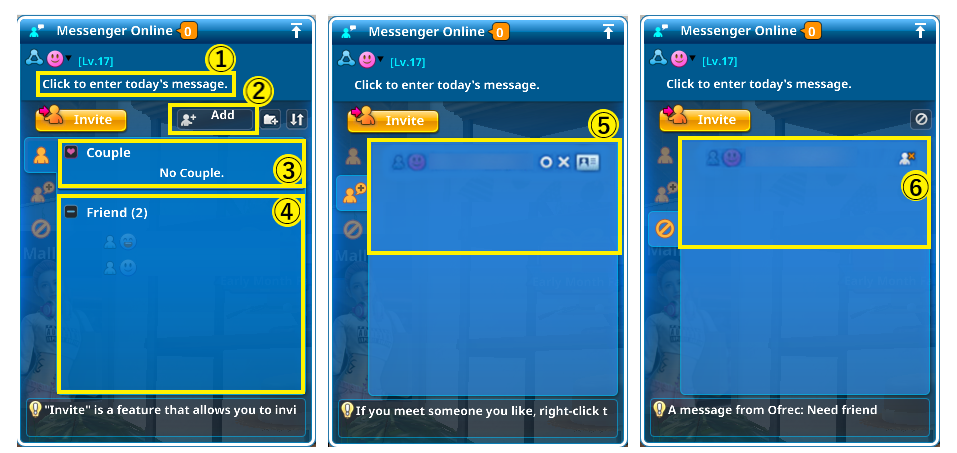
It will appear next to your name in their Messenger list or when they hover over your name. Use it for announcements, your mood of the day, or a simple greeting. |
|
Enter the dancer’s name and click “Add.” A request will be sent, and once approved, you’ll become friends. |
|
Click "O" to accept or "X" to decline. |
|
My Friends Tab
This menu appears when you click on the name of a friend or couple.
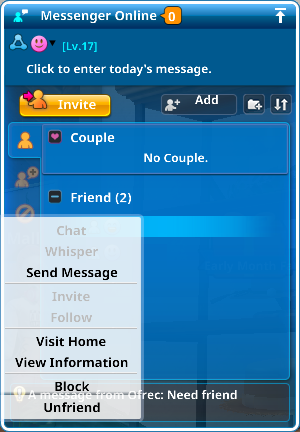
You can invite other online friends to join for group chat. ※This cannot be used with offline dancers. |
|
※This cannot be used with offline dancers. |
|
If they accept, they can join you in your Home, Lounge, or Game Lobby. ※This cannot be used with offline dancers. |
|
※This cannot be used with offline dancers. |
|
※If their Home is set to private, you can only enter via invitation. |
|
Once blocked, you can no longer see their online status or send messages/memos. ※You cannot block a dancer if you are in a couple with them. |
|
■ Crew
A Crew is a group similar to a guild.
dancers can gather to hang out, play together, and compete in dance battles against other Crews.
How to Join or Create a Crew
▼ Joining a Crew
1. Search and Apply
Talk to the NPC [Crew Manager] M.J.M.O. in the Lounge to see a list of existing Crews or search for a Crew by name.
If you find a Crew you’re interested in, submit a join request.
Some Crews require approval from officers. Others allow instant joining.
Certain Crews may have additional requirements—be sure to read the Crew’s introduction carefully.
The officialGeneral forumsometimes lists crew recruitment posts. Check it out for more options!
2. Direct Invitations
Crew members can send direct invitations to nearby dancers.
If you meet someone in the game world and want them to join your Crew—or you want to join theirs—
they can send or receive an invite immediately.
Use this feature to find or grow your squad!
▼ Creating a Crew
To create a Crew, talk to the NPC [Crew Manager] M.J.M.O. in the Lounge,
fill in the required information, and pay the Crew Emblem fee of 20,000 M Points.
Your Crew will automatically become an Official Crew once it has 5 or more members.
Only Official Crews can earn Crew EXP, use the Crew Bulletin Board, and participate in Crew Battles.
Crew Window – Basic Information
Warning: If you set the allocation rate to 100%, all earned EXP will go to the Crew. You won’t earn personal or Couple EXP while this is active. |
|
※Temporary Crews cannot use this feature. It unlocks once the Crew reaches Official status. |
|
You must wait 3 days before rejoining the same Crew. Consider carefully before leaving. ※Crew Masters cannot leave. You must transfer leadership to another member first. |
|
Click the button and enter a dancer’s name to send them an invitation to join the Crew. |
Member Management
Select the checkbox next to a member's name to change their rank or permissions. |
|
View and approve requests to join the Crew. Approved dancers become official members. |
Crew Management
Use it to showcase your Crew’s personality, features, or rules to attract new members. |
|
Use this to notify members of important news or updates. |
|
Examples: Casual, Newbie Friendly, All Levels Welcome. |
|
Unchecked: dancers can join instantly without approval. |
|
Role |
|
※A Master cannot leave without first transferring the Master role or disbanding the Crew when no members remain. |
Crew Battle
Only Official Crews at Level 2 or higher can participate.
Crew Battles can only be played on the Crew Battle Server.
Where to Play:
・Bubble Battle:Team & All-Kill
・Dance Batle:Classic Team & Star Team
Ranking & Remaining Battles |
Each battle consumes 1 entry. Entries reset to 100 during weekly maintenance. |
Infomation |
|
Points are adjusted based on the level difference between crews: ※Lower-level crew defeats higher-level crew: +5 points per 1-level difference. Higher-level crew loses to lower-level crew: points are deducted. |
Crew Ranking
View various Crew rankings.
Go to Rankings → Crew Rankings at the bottom of the screen.
 |
Updated during maintenance. |
 |
Updated during maintenance. |
 |
Updated daily. |
 |
Updated daily. |
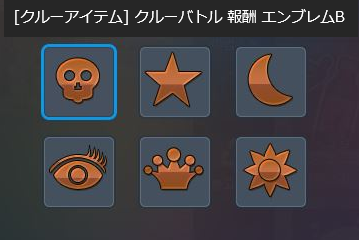
Crew Emblem Rewards
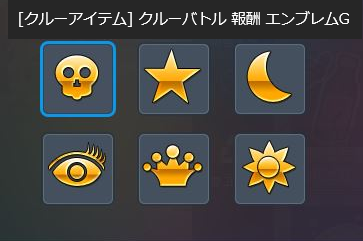
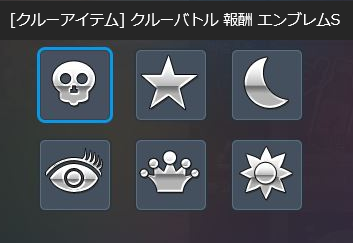
Crews ranked 1st, 2nd, and 3rd in the Weekly Battle Ranking receive:
Special borders for your Crew emblem & Consumables to customize your Crew emblem.
 |
 |
 |
■ Clan
Clans are a more active type of group compared to Crews, designed for dancers who want deeper engagement.
Creating and Joining a Clan
If you are not currently in a Clan, tap the Clan icon at the bottom of the screen to open the Clan menu.
From there, you can create a Clan or join an existing one.
※ Max Members: 30
Clan Missions
Unlike Crews, Clans include: Missions & Buff Effects
Each mission grants points once per completion.
※ Social interactions are limited to 10 times per day.
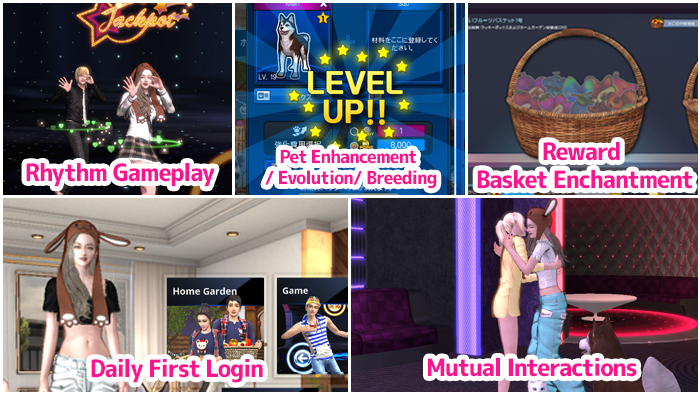
Once you reach the required number of Mission Points,
rewards will be automatically granted, and you will progress to the next mission tier.
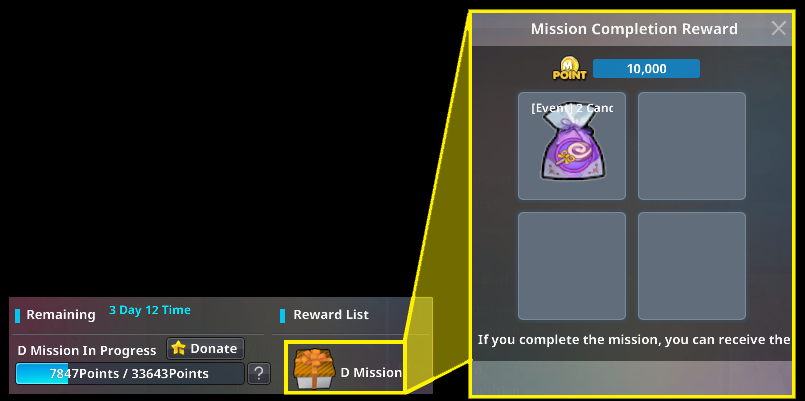
Even after completing the final mission, Mission Points will continue to accumulate.
Weekly Reset: Every Sunday at 00:00 (KST)
If a member leaves the Clan, all Mission Points they contributed will be deducted from the Clan total.
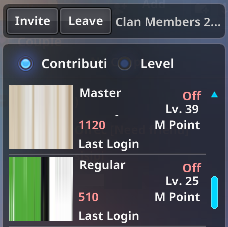
※For example, if a member who contributed 3,314 points leaves the Clan, those points will be removed.
Clan Buffs
Clan Buffs are special effects that activate when certain activity conditions are met.
They are applied based on the number of online members and the attributes of Clan members.
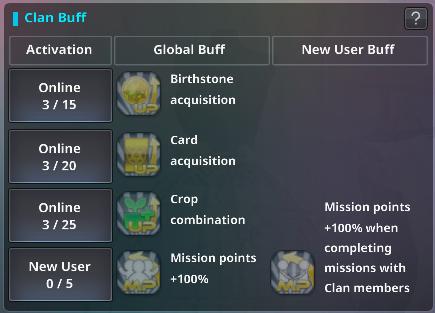
Clan Ranking
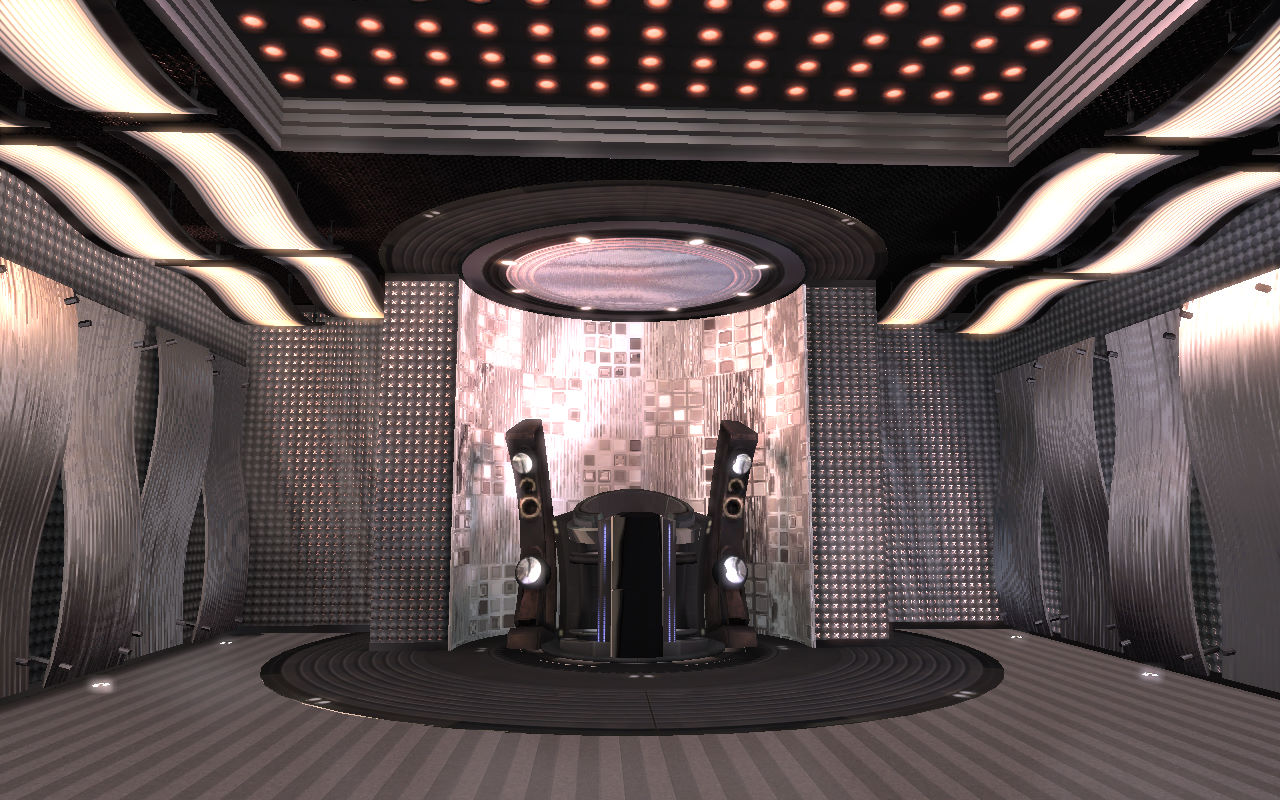
Mission Points contribute to your Clan’s ranking.
If your Clan reaches Rank #1, you will earn exclusive rewards.
1.Exclusive Clan Lounge
Access a private lounge available only to the top-ranked Clan.
2.Rank #1 Exclusive Pose
Unlock a unique and fun pose available only to members of the #1 Clan.
3.Clan Leader Exclusive Item
A special item available only to the #1 Clan Leader.
When used, something special may happen to dancers in the same area…?
※ Rewards are distributed every Sunday at 00:00. (KST)
※ Rewards are valid for 1 week only and will expire even if unused.