How to Join Rhythm Games
■ Selecting a Server and Entering a Channel
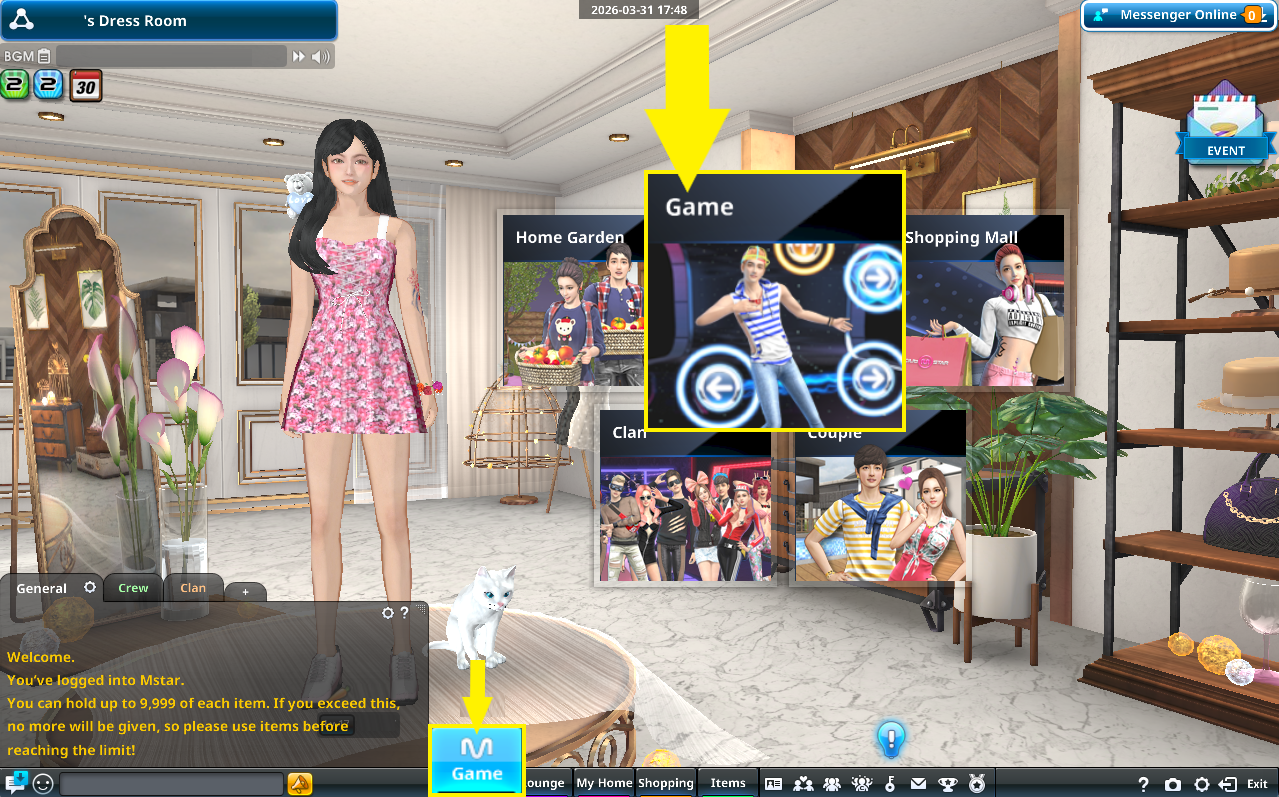
(1)In the Dress Room, open the Main Menu or the "Game" menu at the bottom of the screen.
(2)From the server list, choose a server that matches your skill level or the difficulty you want to try.
Click "Enter Channel" (or double-click the channel) to join.
(3)If there’s an existing room with open slots, you can join it directly.
To create your own room, click "Create Room" at the bottom left.
You can set a password to restrict access to dancers who know it, and toggle whether spectators are allowed.
Not ready for dance battles yet? You can create a solo room and practice by yourself!
※Some game modes do not support solo play.
※No EXP or M Points are awarded in solo play.
■ About the Waiting Room (Lobby)
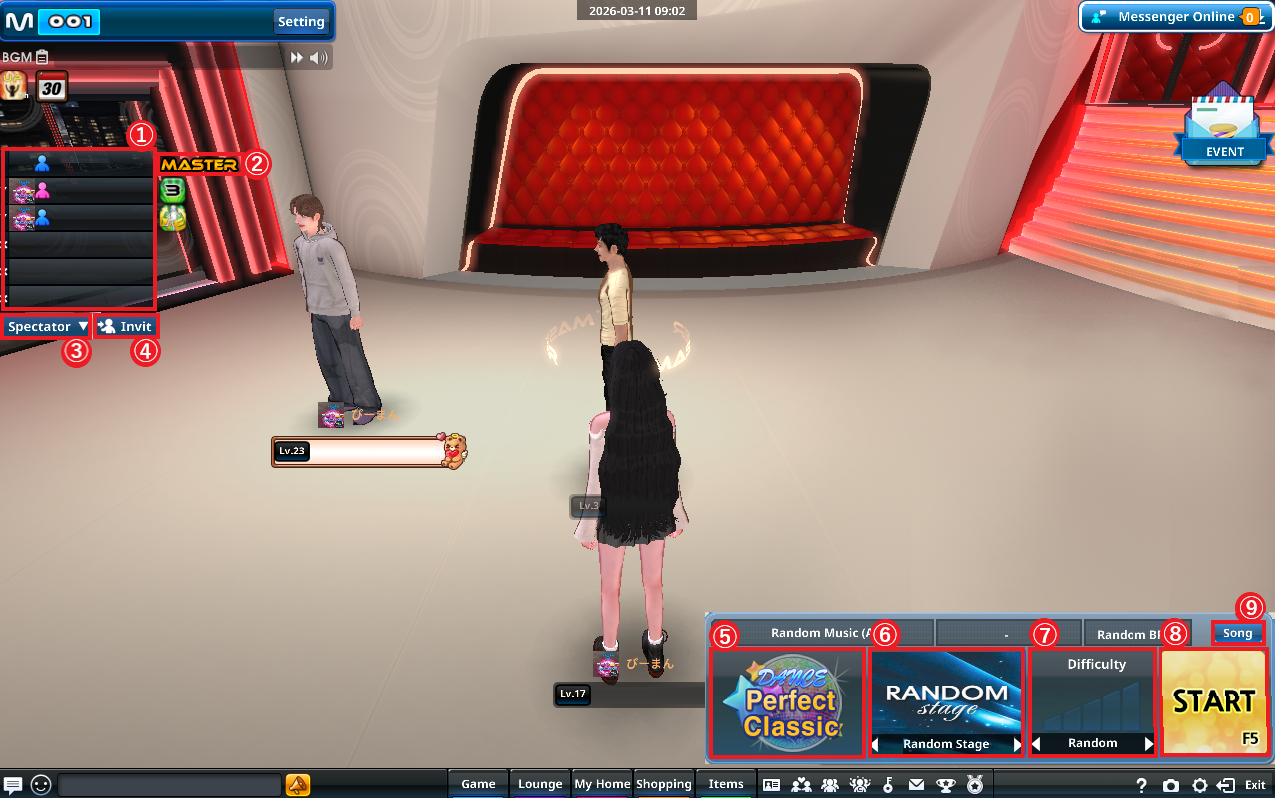
Right-click a dancer’s name in the list to transfer host privileges. |
|
If you don’t want to receive invites, you can disable this in System Options > Comm.. |
|
※You cannot select a mode if the minimum number of dancers required is not met. |
|
Difficulty cannot be changed if you joined a server with a fixed difficulty. |
|
MASTER: Once everyone is marked "READY", click "START" to begin the game. |
|
You can also select Random (All Songs) or Random (Specific BPM Range). |