"Bless Unleashed" VFUN Platform Migration Announcement
 GM_MagnusChase
Dear players, hello!
On July 25th, 2024, we started the data migration of "Bless Unleashed". At that time, you can migrate your account on steam to the VFUN platform, and you can enjoy all kinds of events prepared by the VFUN platform after the migration.
The account migration function includes the overall migration of all the contents such as game characters, items, virtual assets and social relations. After the migration, all the functions in the "Bless Unleashed" account under the original Steam platform will be transferred to a new VFUN platform account.
After the migration is completed, the characters and in-game assets of the original Steam platform "Bless Unleashed" game will be initialized and cannot be recovered. Please carefully select the account migration operation.
Migration method of VFUN platform is as follows:
[Step 1]
Log in to the game, press the "P" key in the character selection screen to pop up the system menu, and select "Data Migration" in the menu.
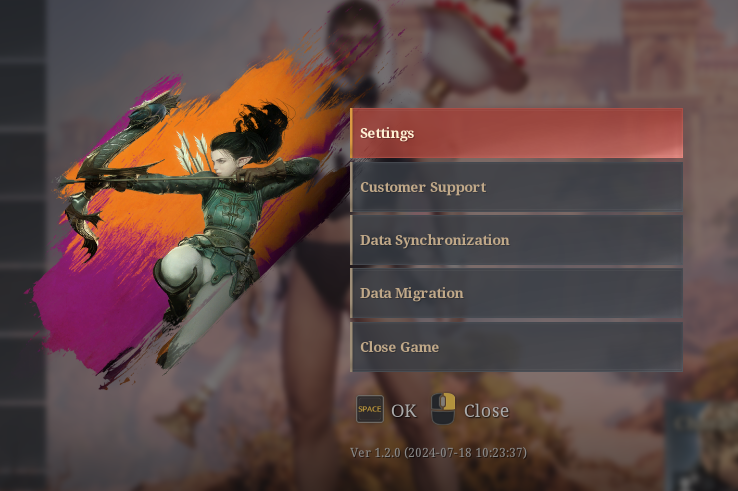
[Step 2]
Enter your VFUN platform account and password in the pop-up interface. If you don't have a VFUN account, please click the "Register VFUN Account" button to register your account in the pop-up VFUN page.
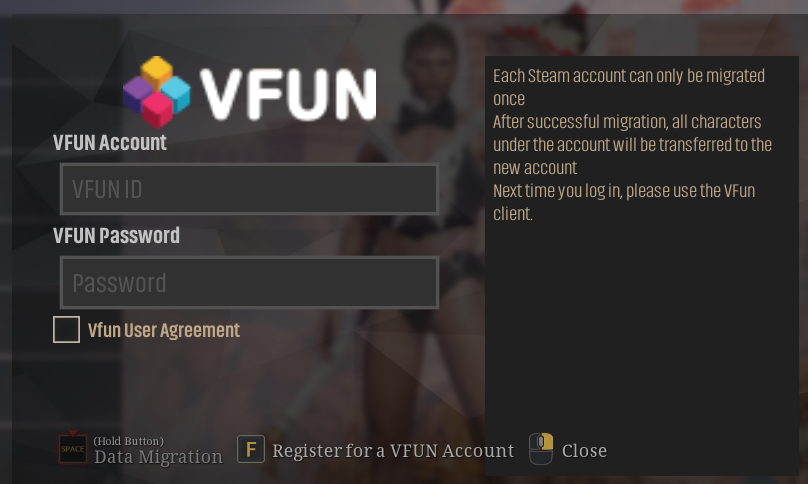
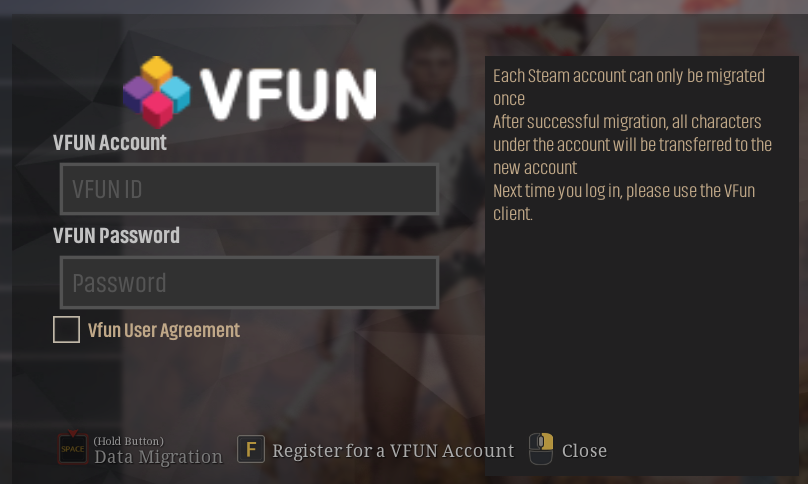
Please check View and agree to the VFUN User Agreement before selecting the data migration function.
[Step 3]
After entering the "Account" and "Password" and agreeing to the VFUN user agreement, please click and hold the "Data Migration" button.
Click OK in the pop-up secondary confirmation interface to successfully migrate to the VFUN account.
When you encounter "Migration failure" during the migration, please re-migrate according to the prompts.
If there is an account or password error, please click OK and try to re-enter the account password.
If there is an error that the account has been migrated, please check whether your steam account has been migrated.
[Step 4]
When you are prompted "Migration Successful", your account will be successfully migrated to the VFUN platform.
At this point you need to use the VFUN client to enter the game.
Download mode of VFUN client:
- Open the webpage of the VFUN platform of Bless Unleashed.https://VFUN.valofe.com/library? service_code=bless§ion=home
- On the right side of the page, find the "Play VFUN" button.
- Click this button to download and install the VFUN platform client.
- Log on to the VFUN platform and start downloading the game "Bless Unleashed".
- After downloading the game, you can open the Bless Unleashed game on VFUN platform.
Notes:
- The VFUN migration function is not mandatory, and you can choose according to your preference.
- Please use a blank VFUN account to migrate. A VFUN account with a character cannot be migrated.
- Data migration is a one-way operation. After applying for account migration, it cannot be changed or cancelled.
- After completing the account migration, please log in to the game with VFUN account, and the steam account will no longer have the original game role.
- Only by logging in with VFUN account can you get relevant rewards after VFUN migration.
VFUN migration events
- Players who have completed the migration from steam to VFUN will receive the VFUN migration package after logging in the game.(Please log in and collect within 3 days after migration)
- VFUN users get an extra 100% Lumena event when they recharge for the first time.
- VFUN User Login Award(7.26--7.30)
前往ORVVIT查看貼文