Shopping Mall Guide
Shopping Mall328
Shopping Mall Interface Guide
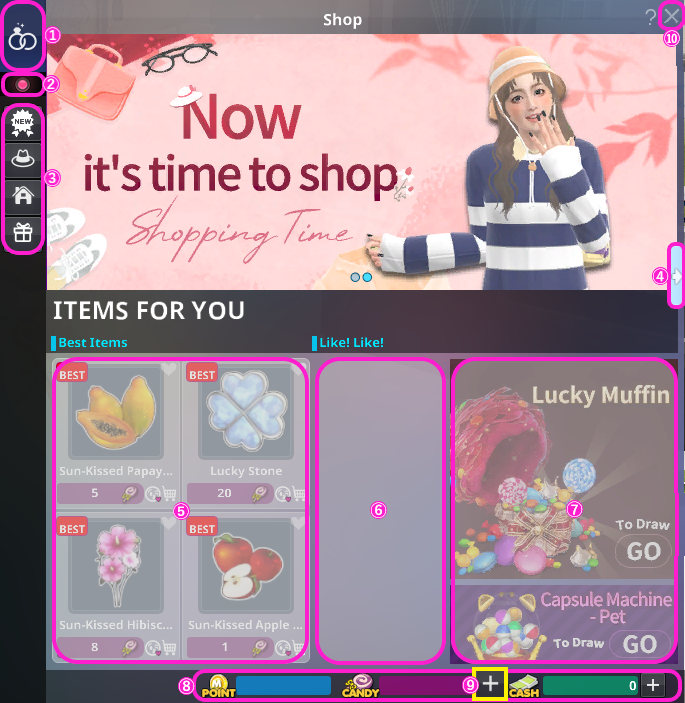
| Item | Description |
|---|---|
| ① Couple Shop | Opens the Couple Shop. (Available only for couples with Couple Level Lv.2 or above.) |
| ② Gender | Switch between female / male items. |
| ③ Category Selection | Select categories such as New, Fashion, Home, or Others. |
| ④ Item Page | Opens the item page.Tap the same button again to return to the shop home. |
| ⑤ Popular Items | Displays popular items in the shop. |
| ⑥ Featured Items | Displays featured items in the shop. |
| ⑦ Lucky Muffin & Capsule Machine |
Opens purchase page for each item. |
| ⑧ Your Currencies | M Points, Candy, Cash. ※Cash field also displays your JEWEL balance. |
| ⑨ Purchase Currency | Opens the purchase page for Candy or Cash. |
| ⑩ Close | Tap the × button to close the shop. |
Category Description
Update
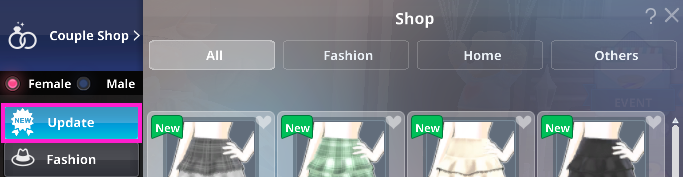
| Category | Description |
|---|---|
| All | View all new Fashion, Home, and more. |
| Fashion | All Fashion items. |
| Home | All Home Items. |
| Others | All Other Items. |
Fashion
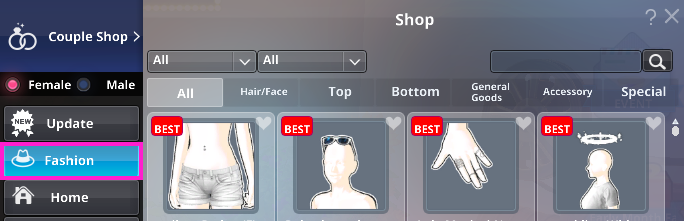
| Category | Description |
|---|---|
| All | All Fashion Categories. |
| Hari/Face | Hairstyles, hair colors, earrings, headwear, face accessories. |
| Top | Upper body wear, one-pieces, jackets. |
| Bottom | Skirts, pants, shorts. |
| General Merchandise | Shoes, gloves, bags, brooches, etc. |
| Accessory | Earrings, rings, necklaces, bracelets, anklets, and navel piercings. |
| Special | Special costumes, functional wear, swimwear, lingerie, action props. |
Home
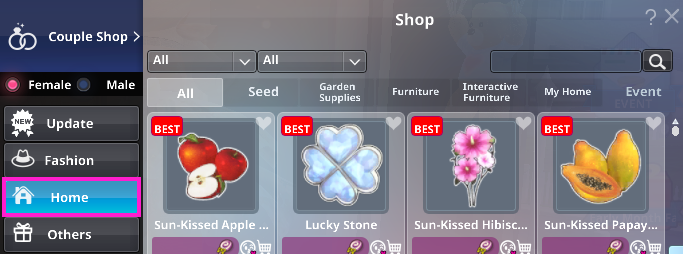
| Category | Description |
|---|---|
| All | All Home items. |
| Seed | Seeds for flower pots and more. ※Requires matching HomGarden level to purchase. |
| Garden Supplies | Flower pots, props, garden spirits, and helpers. |
| Furniture | Furniture and decorations for your Home. |
| Interactive Furniture | Furniture that triggers special actions when used. |
| My Home | Home, Wallpapers, and Backgrounds. |
| Event | Limited-time event items. |
Others
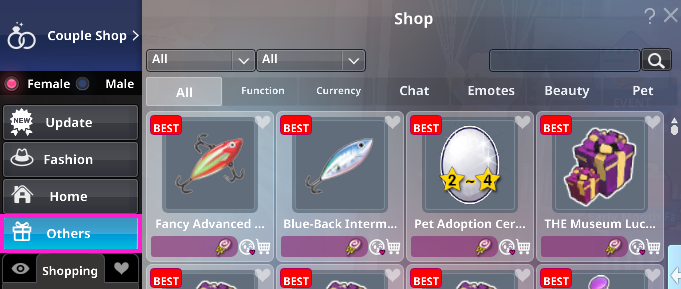
| Category | Description |
|---|---|
| All | All Other Items. |
| Function | Gameplay aids, including fishing items, effect items, and more. |
| Currency | Purchase "Candy" with Cash (JEWEL). |
| Chat | Speech bubbles, Nickname panel, Emotion, and global announcement Billboard. |
| Emotes | Poses and actions for solo or interactive use. |
| Beauty | Items to customize your character's appearance. |
| Pet | Pet Gacha, Pet vouchers, and Pet enhancement items. |
Couple Shop

└ Available only for couples with Couple Level Lv.2 or above.
Gender

└ Switch between female / male items.
Preview

└ Preview your avatar, hairstyles, actions, and poses in real-time.
Shopping

└ Save selected items to your cart.
Wishlist

└ Add items you like to your Wishlist.
My Coupons

└ Check your owned coupons.
Initialize

└ Clear all preview, cart, and wishlist items.
Ask

└ Ask a friend to gift you this item.
Recommend

└ Recommend items to your friends.
Purchase All

└ Buy everything in preview, cart, and wishlist at once.
Purchase Items
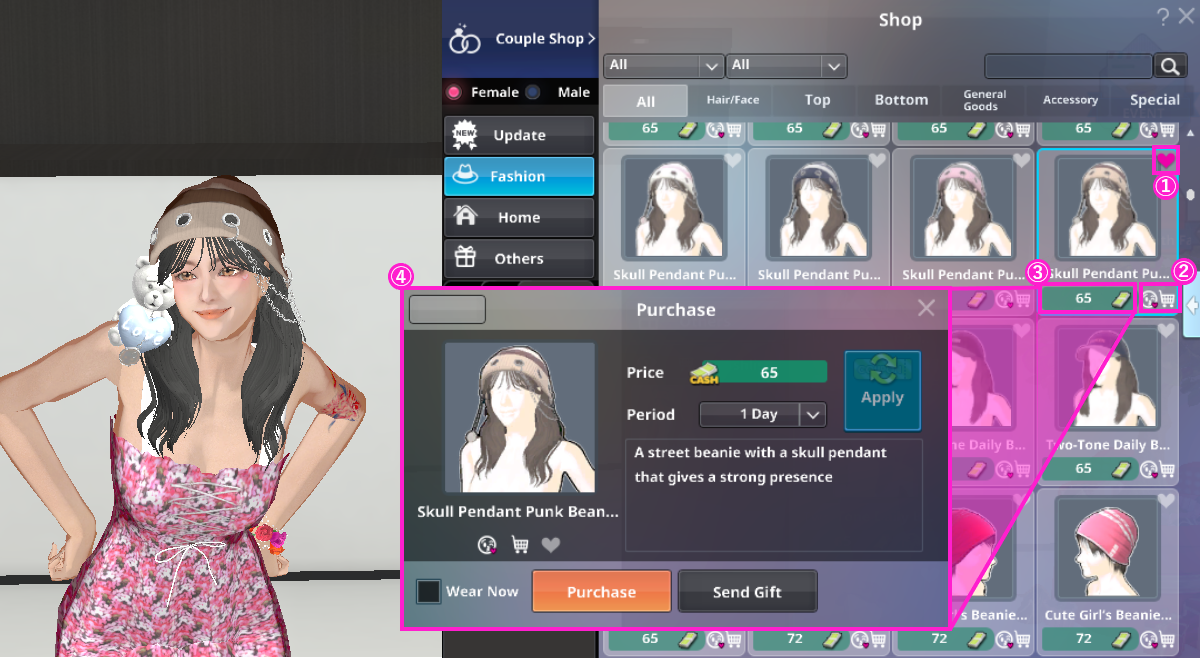
| Category | Description |
|---|---|
| ① Wishlist | Tap the ♡ in the top-right corner of an item to add it to your Wishlist. |
| ② Ask&Add to | Use the buttons to request the item from a friend or add it to your Cart. |
| ③ Item Price | The required currency and price are shown. Tap the price to proceed to purchase. |
| ④ Purchase | Tap “Purchase” to buy the item.Tap "Send Gift" to purchase and send the item to a friend. For time-limited items, select your desired duration from the dropdown. (Price varies by duration.) |
—even for mistakes in selection or recipient.
Please carefully review the item details, duration, and price before confirming.
Filter & Sort
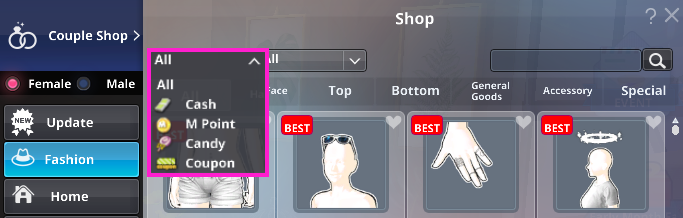
└ Filter by payment currency.
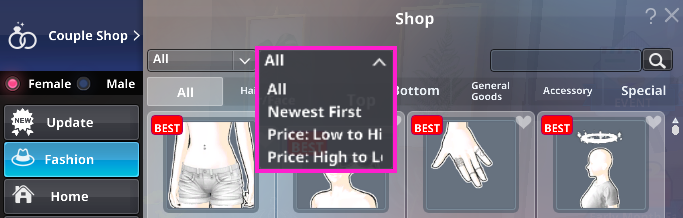
└ Sort by price, newest arrivals, and more.